
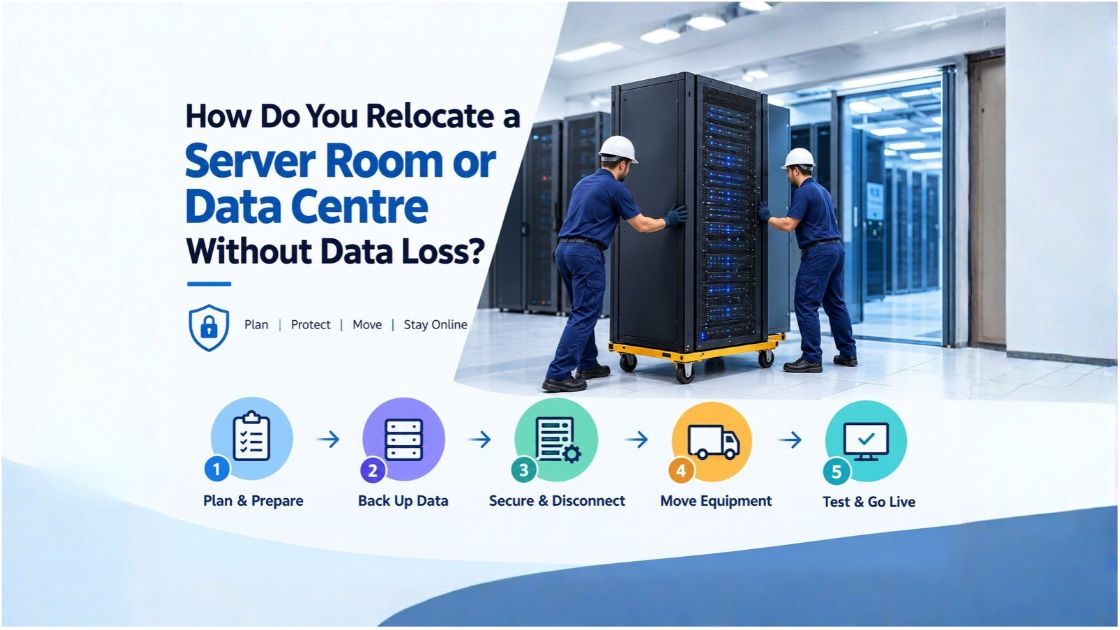




Summary – Relocating a server room or data centre without data loss requires careful planning, verified backups, secure equipment transportation, and thorough testing before systems return to normal operation. Businesses should document their IT infrastructure, prepare the new location, plan downtime, protect sensitive equipment, and establish a rollback procedure. With the right process, organisations can reduce disruption, protect critical information, and resume business operations more confidently.
For companies planning an office move in Maharashtra, coordinating IT migration with office relocation services can also help keep equipment handling, workplace logistics, and business continuity on schedule.
What Is Server Room or Data Centre Relocation?
Server room relocation involves moving servers, storage devices, networking equipment, racks, and related IT infrastructure from one location to another. Data centre relocation may involve a much larger environment, including virtual machines, databases, cloud connections, security systems, and business applications.
The process is more complex than shifting office furniture. A single disconnected network cable, incorrect configuration, or failed storage connection can prevent employees from accessing important business systems.
For example, when a company moves its office from Pune to Mumbai, its server infrastructure may support accounting software, customer records, email, internal applications, and file sharing. If these systems are not properly documented and tested, employees may be unable to work after the move.
How Do You Prepare for a Server Room Relocation?
A successful move begins well before moving day. Follow these essential steps to reduce technical risks and avoid unnecessary downtime.
1. Create a Detailed IT Equipment Inventory
Prepare a complete list of the equipment being moved, including:
- Physical servers and storage arrays
- Network switches, routers, and firewalls
- Server racks, UPS systems, and power distribution units
- Network cables, fibre connections, and accessories
- Backup devices and security appliances
Record serial numbers, rack positions, network settings, cable connections, and equipment dependencies. Label both ends of every cable so technicians can reconnect equipment accurately at the destination.
2. Assess the New Server Room
Before transporting anything, confirm that the new location can support the infrastructure.
Check rack space, electrical capacity, UPS support, cooling, ventilation, internet connectivity, network ports, physical access controls, and fire protection. Make sure the power supply and cooling arrangements meet the equipment manufacturer’s requirements.
A server rack that fits physically may still be unsuitable if the room cannot manage its heat output or electrical load.
3. Establish a Migration Schedule
Prepare a timeline covering shutdown, disconnection, transportation, installation, startup, testing, and final approval.
Assign responsibilities to IT administrators, network engineers, facilities teams, and the physical relocation provider. Notify employees and customers if the move will affect business services.
Choose an approved maintenance window and document who can authorise changes or activate the rollback plan if something goes wrong.
How Can You Prevent Data Loss During a Data Centre Move?
Data protection should be the highest priority throughout the relocation process.
Back Up Critical Data and Configurations
Before shutting down servers, create backups of important files, databases, virtual machines, application data, and relevant system configurations. Follow your organisation’s backup and retention policies.
A backup is not reliable simply because the software reports that a job has completed. Verify that the backup is accessible and test whether critical data can be restored.
Where appropriate, maintain a separate, protected backup copy away from the equipment being relocated.
Verify Data Integrity
Use suitable validation methods, such as checksums, file comparisons, database consistency checks, and application-level tests. These help confirm that information remains complete and readable after migration.
Document the expected results before the move so the IT team can compare the destination environment against the original.
Consider Data Replication
For critical systems, data replication can help maintain a synchronised copy of information at the destination. The technical team should monitor replication status, confirm that outstanding changes have been applied, and verify the final data state before switching production traffic.
Replication does not replace backups. It must be designed and tested carefully because errors or unwanted changes can also propagate between systems.
Prepare a Rollback Plan
Define what happens if servers fail to start, applications do not connect, or data integrity checks fail. Depending on the architecture, this may involve restoring from a verified backup, returning to the original environment, or switching services back to a previous configuration.
Do not decommission the old environment until the new setup has passed the required validation and the responsible stakeholders have approved the transition.
What Is the Step-by-Step Process for Relocating a Server Room?
A structured relocation process helps prevent avoidable mistakes.
Step 1: Test and document the existing environment. Record system health, application availability, network connections, storage status, and backup results.
Step 2: Complete the planned shutdown. Freeze relevant changes, finish or safely stop transactions, and shut down applications and servers in the order specified by the IT team.
Step 3: Disconnect and label equipment. Photograph rack layouts and cable connections, label components, and protect sensitive connectors.
Step 4: Pack and transport the equipment securely. Use appropriate anti-static protection, shock-resistant packaging, and suitable handling procedures. Expensive or sensitive hardware should be moved by personnel experienced in IT equipment transportation.
Step 5: Install equipment at the destination. Position racks safely, reconnect power and network links, and follow the documented configuration plan.
Step 6: Restart systems in the correct sequence. Confirm that power, cooling, storage, and networking are functioning before bringing dependent applications online.
Step 7: Test and approve the environment. Verify application access, data integrity, security controls, monitoring, and business-critical workflows before declaring the relocation complete.
How Can You Minimise Downtime During Server Relocation?
Downtime depends on the infrastructure, application dependencies, distance, migration method, and business requirements. Some small server rooms can be moved within a planned maintenance window, while larger environments may require phased migration over several days or longer.
Businesses can reduce disruption by:
- Scheduling work outside peak operating hours.
- Migrating non-critical systems before essential applications.
- Using parallel infrastructure or replication where technically suitable.
- Testing the destination before the final cutover.
- Communicating expected service interruptions in advance.
Hot, warm, and cold migration approaches have different technical requirements. Near-zero downtime may be achievable for certain systems, but it cannot be guaranteed for every environment.
For businesses coordinating an office move in Pune, Mumbai, Nashik, Nagpur, or elsewhere in Maharashtra, aligning the IT migration schedule with the office move can reduce confusion and help teams return to work sooner.
What Should You Test After Moving Servers?
Do not assume that equipment is operational simply because it powers on. Complete a structured post-move checklist.
- Confirm server health, storage access, and hardware status.
- Test internet connectivity, DNS, firewalls, VPNs, and internal networks.
- Verify databases, business applications, user authentication, and integrations.
- Check file permissions and access to shared resources.
- Confirm backup schedules, monitoring tools, alerts, and security controls.
- Ask relevant employees to test their normal workflows.
- Record issues and obtain approval from the responsible business and IT teams.
For example, a server may start correctly while an accounting application remains inaccessible because a firewall rule or database connection was not restored. Testing complete business workflows helps identify these problems before they affect more users.
What Common Mistakes Should You Avoid?
The most frequent mistakes include moving equipment before verifying backups, failing to label cables, overlooking cooling and power requirements, and rushing the startup process.
Another common problem is treating physical transportation as the entire project. Server relocation also involves software dependencies, security configurations, network routing, and application validation.
Avoid assigning technical migration responsibilities to a general moving crew. The IT team should control shutdown, configuration, data validation, and recovery decisions, while the relocation provider handles the physical work agreed in advance.
Should You Hire Professional Office Relocation Services?
Professional office relocation services can help businesses coordinate equipment packing, transport schedules, workplace logistics, and the movement of office assets. This support is particularly useful when a server room move forms part of a larger office relocation.
However, physical movers and IT migration specialists have different responsibilities. Before booking, confirm who will handle server racks, sensitive equipment, anti-static packaging, transport security, installation coordination, and delivery documentation. Your internal IT team or a qualified IT migration provider should manage technical operations and data integrity.
Choose a provider that offers clear written commitments, transparent pricing, appropriate handling procedures, and a defined chain of responsibility. For complex or business-critical infrastructure, arrange a joint site assessment with both the relocation provider and the IT team.
Plan Your Office and Server Room Relocation Before Moving Day
A safe server room relocation starts with a clear inventory, verified backups, a prepared destination, and an agreed testing and recovery plan. Coordinating technical teams with experienced physical relocation professionals helps reduce avoidable disruption and protects valuable business equipment.
If your organisation is planning an office move in Maharashtra, contact a provider of office relocation services to discuss your timeline, equipment-handling requirements, pickup and delivery locations, and written quotation. Coordinate the physical move with your IT team early, so both your workplace and critical systems are ready for business at the new location.
Frequently Asked Questions
Can you relocate a server room without losing data?
Yes, data loss risk can be substantially reduced through verified backups, tested recovery procedures, data integrity checks, careful equipment handling, and a documented rollback plan. No process can eliminate every possible risk.
How long does server room relocation take?
The duration depends on the number of systems, infrastructure complexity, travel distance, backup requirements, and testing needs. A small environment may fit into a planned maintenance window, while a complex data centre migration may take several days or longer.
Can servers be moved without shutting down business operations?
Sometimes. Replication, parallel infrastructure, phased migration, and planned cutovers can keep selected services available. The feasibility depends on application architecture, hardware, network configuration, and recovery requirements.
What is the difference between server migration and data centre relocation?
Server migration generally means moving workloads, applications, or data between systems or environments. Data centre relocation typically involves moving physical infrastructure and may also require workload migration and network changes.