
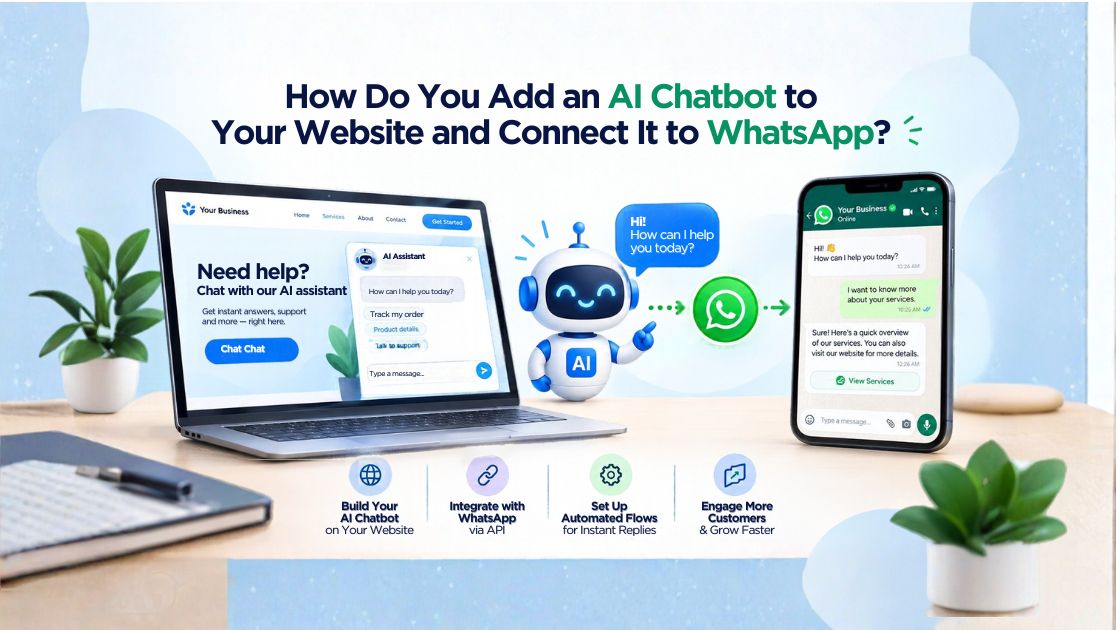

Summary – Businesses can add an AI chatbot to their website by installing a chat widget and connect it to WhatsApp through the WhatsApp Business Platform API or a supported chatbot integration. This allows customers to ask questions, receive automated responses, share their requirements, and continue conversations across channels. Choosing the right AI chatbot software provider helps businesses connect these tools with their knowledge base, CRM, and customer support workflows.
What Is an AI Chatbot for a Website and WhatsApp?
An AI chatbot is software that uses artificial intelligence to understand customer questions and provide relevant responses automatically. When connected to a website and WhatsApp, it allows businesses to manage enquiries through two commonly used communication channels.
A website chatbot typically appears as a chat window on a business website. Visitors can use it to ask about products, pricing, services, delivery, or appointments.
A WhatsApp AI chatbot handles conversations through a business’s WhatsApp messaging setup. Depending on the integration, it can answer FAQs, collect customer details, qualify leads, and transfer complex enquiries to human agents.
For example, a digital marketing agency in Pune can use a website chatbot to answer questions about SEO services. If a visitor wants a consultation, the chatbot can collect their business name, website, and requirements before directing them to a WhatsApp conversation or sales representative.
Why Should Businesses Connect Their Website Chatbot to WhatsApp?
A website chatbot helps businesses engage visitors while they browse. WhatsApp provides another way to continue conversations, particularly when customers prefer messaging instead of calling or completing long forms.
Connecting both channels can help businesses:
- Respond to common questions outside business hours.
- Capture leads from website visitors.
- Qualify enquiries before sending them to sales teams.
- Share relevant information through automated conversations.
- Reduce repetitive customer support work.
- Maintain more consistent communication across channels.
The goal is not simply to automate every conversation. It is to make it easier for customers to get useful answers and reach the right person when necessary.
Businesses exploring WhatsApp automation can learn more about AI chatbots on WhatsApp and how conversational automation can support customer interactions.
What Do You Need Before Adding an AI Chatbot to Your Website?
Before implementation, identify the tasks the chatbot should perform and the systems it needs to access.
Most businesses need the following:
A website with editing access: You may need access to your content management system, website builder, or website code to install the chat widget.
An AI chatbot platform: Choose software that supports your use case, knowledge sources, automation requirements, and preferred communication channels.
WhatsApp Business Platform access: For a fully automated WhatsApp chatbot, businesses generally need an appropriate WhatsApp Business Platform integration through a supported provider or platform.
A knowledge base: Prepare accurate FAQs, service descriptions, pricing information, policies, and other approved business content.
CRM integration: If the chatbot needs to capture and qualify leads, it should be able to send relevant information to your customer relationship management system.
A clear handover process is also important. Customers should be able to reach a human representative when the chatbot cannot resolve their request.
How Do You Add an AI Chatbot to Your Website Step by Step?
Adding a website chatbot usually involves configuring the software, connecting the knowledge base, and installing a chat widget.
Step 1: Choose an AI Chatbot Software Provider
Compare platforms based on AI capabilities, website compatibility, WhatsApp integration, CRM support, analytics, security, and pricing.
Do not select software based only on the number of features advertised. Consider whether it can handle your actual customer enquiries and integrate with the tools your team already uses.
Step 2: Prepare Your Chatbot’s Knowledge Base
Provide reliable information about your products, services, business hours, pricing, return policies, and frequently asked questions.
For example, an ecommerce company should ensure the chatbot uses current delivery information and product details rather than outdated website content.
Step 3: Configure the Conversation Flow
Create a greeting and decide what the chatbot should do when visitors ask questions, request a quotation, or need assistance.
Keep questions short and relevant. A service business might ask whether the visitor needs pricing information, technical support, or a consultation.
Step 4: Install the Website Chat Widget
Most chatbot platforms provide an installation script, plugin, or integration for supported website builders. Add it according to the platform’s instructions, then check that the widget works on desktop and mobile devices.
Step 5: Set Up Lead Capture and Test the Chatbot
Decide which details are necessary, such as a name, business email, or enquiry type. Test common questions, incorrect inputs, unanswered queries, and human handover before making the chatbot available to all visitors.
How Do You Connect Your Website AI Chatbot to WhatsApp?
The next step is connecting the chatbot platform to WhatsApp so customers can interact with the business through messaging.
A typical integration follows this process:
- Set up or access an eligible WhatsApp Business account.
- Connect the account through the WhatsApp Business Platform API or a supported integration.
- Link WhatsApp to the chatbot platform.
- Configure the chatbot’s responses and automation rules.
- Set up webhooks or CRM connections where required.
- Test incoming messages, outgoing replies, and human-agent handover.
The exact steps depend on the software and integration method. Some platforms provide guided or no-code setup, while custom solutions may require developer support.
It is important to understand the difference between a WhatsApp button and a WhatsApp AI chatbot. A click-to-chat button allows a visitor to start a conversation. It does not, by itself, provide automated AI responses.
For a more detailed explanation of the technical relationship, see how the WhatsApp API powers AI chatbots.
Can One AI Chatbot Work Across Your Website and WhatsApp?
Yes, a business can use one chatbot platform across both channels if the software supports website and WhatsApp integration. However, the two channels may require separate configuration, permissions, and messaging rules.
A shared knowledge base helps maintain consistent answers. For instance, if a customer asks about a service on the website, the chatbot can provide the same approved service information when another customer asks through WhatsApp.
Businesses should also determine whether conversation history can be shared between channels. This depends on the platform and how customer identities are matched.
A useful setup connects both channels to the same CRM, allowing sales or support teams to view relevant enquiry details without unnecessarily asking customers to repeat information.
How Can an AI Chatbot Qualify Leads Automatically?
AI chatbots can qualify leads by asking relevant questions, identifying customer needs, and passing useful information to the sales team.
For example, a real estate business can ask website visitors about their preferred location, budget, property type, and buying timeline. The chatbot can record these details and route suitable enquiries to an agent.
Lead qualification workflows can include:
- Collecting basic contact details.
- Identifying the product or service required.
- Understanding budget and purchase intent.
- Recording responses in a CRM.
- Notifying the relevant sales representative.
- Arranging a follow-up or consultation.
Businesses can explore practical AI chatbots for lead generation when planning these workflows.
The chatbot should collect only the information needed for the enquiry and explain when customer details will be used to arrange follow-up.
What Should You Check Before Launching Your Chatbot?
Before publishing the chatbot, test its performance and review its security.
Check whether it answers common questions accurately, handles unexpected messages, and transfers complex enquiries to a human. Confirm that CRM records are created correctly and that WhatsApp messages are delivered as expected.
Also review access permissions, data retention, privacy notices, and API credential security. WhatsApp messaging must follow applicable platform policies, including requirements for approved templates and customer permissions where relevant.
Businesses serving customers across India should test mobile usability, clear English responses, and regional-language support where needed. A chatbot serving customers in Pune, Mumbai, Bengaluru, or Delhi may need different service information or language options depending on its audience.
How Can Businesses Measure AI Chatbot Performance?
Track measurable outcomes instead of judging the chatbot only by the number of conversations it handles.
Useful metrics include:
- Response accuracy: Does the chatbot provide correct, relevant answers?
- Lead conversion rate: How many conversations generate qualified enquiries?
- Resolution rate: How many questions are answered without human intervention?
- Handover rate: How often does the chatbot need a human agent?
- Response time: How quickly do customers receive an initial answer?
- Customer feedback: Are users finding the interaction helpful?
Review unanswered questions regularly and improve the knowledge base. Businesses can also explore how AI chatbots improve customer retention through faster responses and more consistent support.
Chatbots can be useful across ecommerce, education, healthcare administration, real estate, travel, and professional services. The best implementation depends on the industry’s customer journeys, as discussed in this guide to industries that benefit from AI chatbots.
Ready to Connect Your Website and WhatsApp With AI?
If your business receives website enquiries but struggles to respond quickly or follow up consistently, it may be time to review your chatbot strategy.
Evaluate an AI chatbot software provider that supports website integration, WhatsApp automation, CRM connectivity, and human-agent handover. Define your most common customer questions, identify the workflows worth automating, and request a consultation to plan an implementation that fits your business goals.
Frequently Asked Questions
Can I connect my website chatbot to WhatsApp?
Yes. If your chatbot platform supports WhatsApp integration, you can connect it through the WhatsApp Business Platform API or another supported integration method.
Do I need coding skills to add an AI chatbot?
Not always. Many platforms offer no-code builders, plugins, or installation scripts. Custom CRM connections and advanced workflows may require technical assistance.
Can an AI chatbot collect leads from a website and WhatsApp?
Yes. A suitably configured chatbot can ask qualification questions, collect relevant details, and send lead information to a connected CRM.
How much does an AI chatbot for a website and WhatsApp cost?
Costs depend on the software subscription, AI usage, WhatsApp messaging charges, integration requirements, and support. Compare the total expected cost with your business requirements before choosing a provider.