
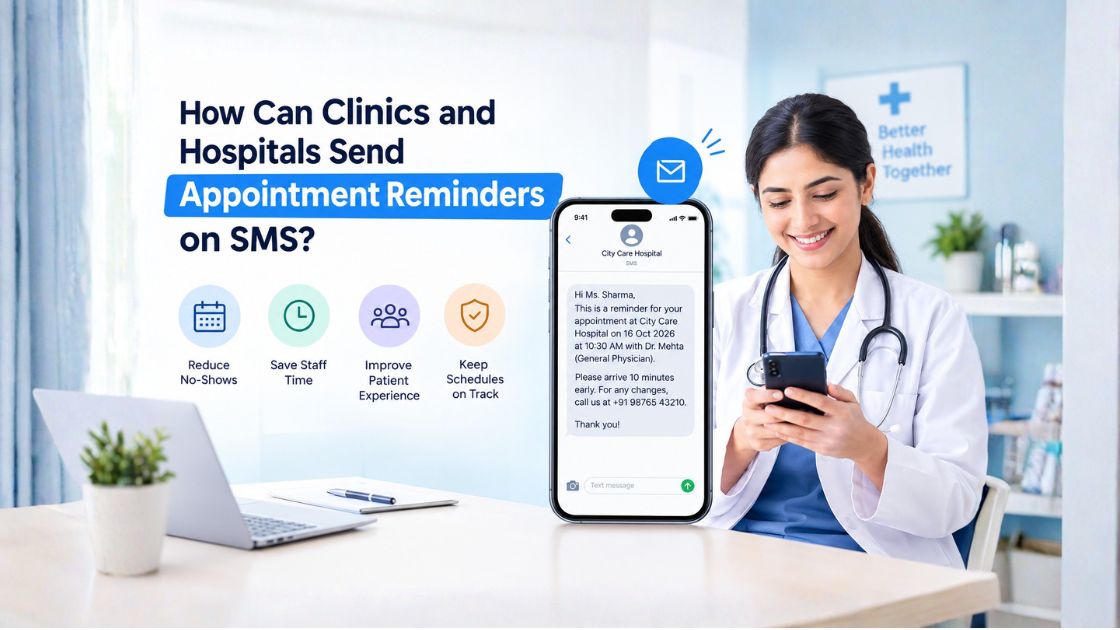

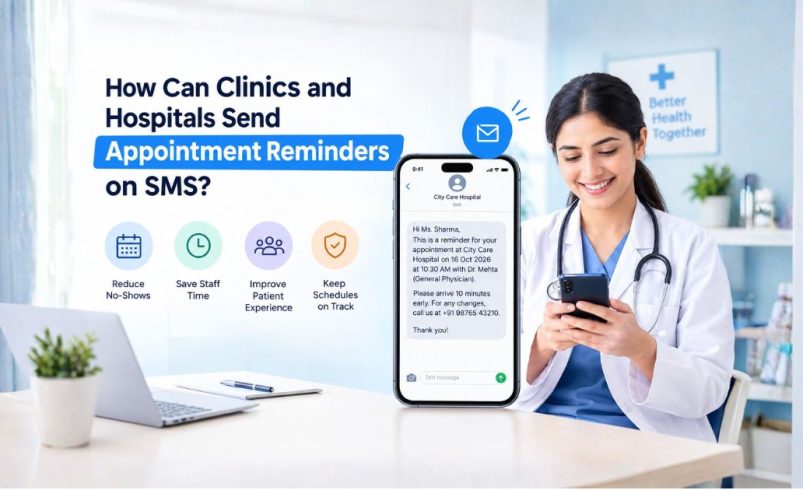
Summary – Clinics and hospitals can send appointment reminders through SMS gateways, bulk SMS services, or SMS APIs connected to their appointment scheduling software. Automated reminders notify patients about upcoming consultations, help reduce missed appointments, and reduce the need for manual follow-up calls. Healthcare providers in India can improve this process by scheduling messages in advance, using clear SMS templates, protecting patient information, and following applicable telecom regulations.
Why Should Clinics and Hospitals Send Appointment Reminders by SMS?
Missed appointments can disrupt a doctor’s schedule, increase waiting times, and leave valuable consultation slots unused. SMS reminders help healthcare providers keep patients informed without requiring them to install an app or maintain an internet connection.
For example, a dental clinic in Pune can send a reminder one day before a consultation and another message on the appointment day. Patients can check the date and time quickly, while reception staff spend less time making confirmation calls.
Key benefits include:
- Fewer missed appointments: Patients receive timely reminders about scheduled visits.
- Better scheduling: Early cancellation notices can help clinics offer vacant slots to other patients.
- Less administrative work: Staff can focus on patient support rather than repetitive calls.
- Improved patient experience: Clear messages help patients remember appointments and plan their visits.
SMS notifications can also improve the overall customer experience by keeping people informed at important moments.
How Do SMS Appointment Reminders Work?
An SMS appointment reminder system connects a clinic’s appointment records with a messaging platform. When an appointment is booked, the system schedules a message based on the visit date and the clinic’s reminder policy.
The process generally follows these steps:
- Record the appointment: Store the patient’s mobile number, appointment date, time, and relevant booking details.
- Connect an SMS platform: Integrate the scheduling software or hospital management system with an SMS gateway or API.
- Schedule reminders: Set messages to go out at appropriate intervals before the consultation.
- Send the message: The platform delivers the reminder to the patient’s registered number.
- Monitor delivery: Review delivery reports and investigate failed messages where necessary.
A multispecialty hospital in Mumbai, for example, may automate reminders for outpatient consultations, diagnostic visits, and follow-up appointments using separate message templates for each workflow.
When Should Hospitals Send Appointment Reminder SMS Messages?
The best reminder schedule depends on the appointment type, patient needs, and how much notice is required to reschedule.
A practical starting point is:
- Immediately after booking: Send an appointment confirmation with the date, time, and location.
- 24–48 hours before the visit: Remind the patient and provide an opportunity to request a change.
- A few hours before the appointment: Send a short reminder when same-day communication is useful.
- After a missed appointment: Send a polite follow-up inviting the patient to contact the clinic to reschedule.
Not every patient needs multiple reminders. Clinics should test their schedule and adjust it based on appointment attendance, message delivery, and patient feedback.
What Should an SMS Appointment Reminder Include?
An effective healthcare reminder should be brief, clear, and easy to understand on a mobile phone.
Include the following details where appropriate:
- Clinic or hospital name
- Appointment date and time
- Doctor or department, when necessary
- Clinic address or a useful location link
- Contact details for changes or cancellations
- Relevant preparation instructions, if appropriate
Avoid including diagnoses, sensitive test information, or unnecessary medical details. Messages may appear on a shared phone or a locked screen, so privacy should remain a priority.
Appointment Reminder SMS Templates for Clinics and Hospitals
- Appointment confirmation
“Your appointment at [Clinic Name] is confirmed for [Date] at [Time]. For changes, please contact [Phone Number].”
- One-day reminder
“Reminder: Your appointment at [Hospital Name] is scheduled for tomorrow at [Time]. Please contact [Phone Number] if you need assistance.”
- Same-day reminder
“This is a reminder from [Clinic Name] about your appointment today at [Time]. Please arrive as advised. Contact [Phone Number] for assistance.”
- Rescheduling follow-up
“We noticed you could not attend your scheduled appointment at [Clinic Name]. Please contact [Phone Number] if you would like to arrange another visit.”
Clinics should adapt these templates to their communication policies, approved message formats, and patient privacy requirements.
How Can Clinics Automate SMS Appointment Reminders?
Manual messaging may work for a small practice, but it becomes difficult when hundreds of appointments need confirmation every day. Bulk SMS services can help clinics automate routine notifications and manage communication at scale.
Healthcare providers can implement automation by:
- Connecting their clinic management software to an SMS API.
- Creating templates for confirmations, reminders, and rescheduling.
- Setting automatic triggers based on appointment dates.
- Checking delivery reports to identify failed messages.
- Restricting access to patient contact details.
- Reviewing workflows regularly to prevent duplicate or incorrect reminders.
For example, a diagnostic centre with branches in Pune and Pimpri-Chinchwad can use one integrated system to send reminders across locations while maintaining separate schedules and contact details for each centre.
SMS automation can also support other industries that depend on timely updates. Travel and hospitality businesses use similar workflows for booking confirmations and schedule changes, as explained in this guide to travel booking SMS updates.
How Can Healthcare Providers Use Bulk SMS Services in India?
When choosing top bulk SMS services in India, clinics and hospitals should consider delivery reliability, integration options, message costs, technical support, and regulatory requirements.
Before launching automated reminders, healthcare providers should:
- Choose a suitable SMS provider: Check API availability, delivery reports, support, and compatibility with existing software.
- Review DLT requirements: Confirm applicable Principal Entity registration, sender-header, and message-template requirements under India’s telecom framework.
- Classify messages correctly: Appointment reminders and promotional offers serve different purposes. Confirm the applicable message category and compliance requirements rather than assuming every message follows the same rules.
- Manage consent and preferences: Maintain appropriate records and respect applicable communication preferences.
- Test before launch: Verify message content, mobile numbers, scheduling rules, and delivery reporting.
These checks are especially important for healthcare groups operating across Maharashtra, Karnataka, Delhi, and other Indian states, where consistent communication processes can support multiple branches.
How Much Do SMS Appointment Reminders Cost?
The cost depends on the number of messages sent, the provider’s pricing model, API integration requirements, and any setup or support charges.
A small clinic sending a few hundred reminders monthly may have different needs from a hospital sending thousands of notifications across departments.
Before choosing a plan, estimate your average monthly appointment volume and compare the total cost rather than just the advertised per-message rate. Review bulk SMS pricing in India to understand the factors that influence messaging expenses and plan selection.
How Can Hospitals Protect Patient Privacy When Sending SMS?
Patient privacy should be considered from the beginning of any automated messaging workflow. Healthcare providers should collect only the information required for the reminder, limit access to patient records, and use secure integrations.
Important safeguards include:
- Confirming mobile numbers during registration.
- Avoiding sensitive medical information in message previews.
- Restricting staff access based on job responsibilities.
- Reviewing data retention and access policies.
- Following applicable data protection and healthcare requirements.
- Providing a suitable way for patients to update their communication preferences.
Clinics should also establish procedures for handling incorrect numbers, delivery failures, and requests to change communication preferences.
Improve Patient Communication With Automated SMS Reminders
Missed appointments and manual follow-ups can place unnecessary pressure on healthcare teams. A well-planned SMS reminder workflow helps clinics and hospitals send timely updates, keep appointment schedules organised, and make visits easier for patients to manage.
If you manage a clinic, diagnostic centre, or hospital, assess your current appointment volume, reminder schedule, and software integration needs. Explore reliable bulk SMS services, compare pricing and delivery capabilities, and request a solution consultation to identify a practical approach for your healthcare communication requirements.
Frequently Asked Questions
How can a small clinic send automatic appointment reminders?
A small clinic can use appointment scheduling software with built-in SMS functionality or connect its system to an SMS API. Automated triggers can send confirmations and reminders without staff manually messaging every patient.
How many hours before an appointment should an SMS reminder be sent?
Many clinics start with a reminder 24–48 hours before the visit. A same-day reminder may also be useful, depending on the appointment type and patient needs.
Are bulk SMS services suitable for hospitals in India?
Yes. Hospitals can use bulk SMS services for appointment confirmations, consultation reminders, follow-up notifications, and other appropriate service communications, provided the setup follows applicable telecom and privacy requirements.
Can SMS reminders be integrated with hospital management software?
Yes. An SMS API can connect compatible hospital management or appointment scheduling software with a messaging platform. Integration can trigger reminders automatically and provide delivery-status information.
What should hospitals avoid in appointment reminder messages?
Hospitals should avoid unnecessary diagnoses, sensitive medical details, misleading information, and promotional content presented as a routine appointment reminder. Messages should be accurate, relevant, and privacy-conscious.